Interior Keynote Template: A Practical Tool for Stunning Visual Presentations
If you've ever scrambled to build a presentation from scratch, you know how much time disappears into formatting slides, aligning images, and choosing colors. That’s where a template like the Interior Keynote Template comes in. It’s not just a set of slides—it’s a complete system designed for people who need to present ideas related to interior spaces, design concepts, or visual portfolios without starting at zero.
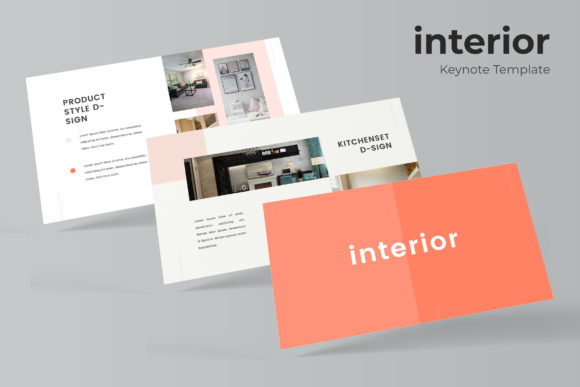
At its core, this template gives you 150 total slides spread across five premade color variations, each with 30 slides. It includes handcrafted infographics, section break slides, gallery layouts, and portfolio-focused pages. Everything is built on master slides, which means you drag and drop your own content and the formatting stays consistent. The graphics are pixel-perfect and fully resizable, so you never end up with blurry or misaligned elements.
Who Actually Uses This Template
You might assume this template only works for interior designers. And yes, it’s an excellent fit for them. But the audience is broader. Freelancers, creative entrepreneurs, real estate agents, home staging consultants, educators teaching design, and even hobbyists building a personal brand can all benefit. If you present visual work—before and after photos, mood boards, floor plans, or product catalogs—this structure saves you hours.
For example, a freelance interior designer pitching to a client can use the gallery and portfolio slides to show past projects. The section break slides let you separate stages of the proposal: concept, budget, timeline, and mood. Instead of awkwardly clicking through generic slides, the presentation feels curated. It looks like you spent days on it, but you really just dropped in your images and adjusted a few text blocks.
Client Proposals and Pitches
Imagine you run a small interior design studio. You have three new leads this week, and each one needs a tailored proposal. Without a template, you might reuse an old deck and manually change colors and images—ending up with inconsistent fonts and misaligned photos. With the Interior Keynote Template, you pick one of the five color variations that matches your brand or the client’s preferences. You drag your project photos into the picture placeholders. You use the infographic slides to explain your process or budget breakdown. The result is polished and professional, and it took you under an hour.
Portfolio Reviews for Creative Professionals
Whether you’re a lighting consultant, furniture designer, or home stager, you need a portfolio that shows your range. The gallery and portfolio slide layouts in this template are designed specifically for visual work. You can group projects by style, color palette, or room type. The resizable image placeholders mean you don’t have to crop every photo to a specific size—you drop it in, and the template handles the composition. For someone who updates their portfolio regularly, this flexibility is a huge time-saver.
Educational Presentations and Workshops
Teachers and workshop leaders often need to present design principles, historical styles, or case studies. The handcrafted infographics in the template can help explain concepts like the golden ratio in room layouts, color theory, or furniture arrangement. The section break slides let you divide a two-hour workshop into clear segments, so attendees can follow along without getting lost. You can even use the five color variations to differentiate between modules or topics.
Real Estate and Property Marketing
Real estate agents who sell high-end homes often need to present property features to potential buyers or investors. Instead of a standard slideshow, you can use the Interior Keynote Template to create a visual walkthrough. Use the gallery slides for room-by-room photos, infographics for floor plans or square footage comparisons, and portfolio slides to highlight architectural details. The premade color schemes help maintain a consistent, upscale feel that matches the property’s style.
Bloggers and Content Creators
If you run a design blog or YouTube channel, you likely need slide decks for webinars, sponsored content, or social media presentations. The template works well for creating visual lead magnets—think “Top 10 Living Room Trends” or “How to Style a Bookshelf.” You can export slides as images or PDFs to repurpose across platforms. The drag-and-drop master slides mean you don’t need advanced design skills to get professional-looking results.
How the Features Translate to Real Outcomes
Let’s walk through some of the listed features and connect them to actual benefits.
150 total slides, 30 per template, 5 color variations. This means you’re not stuck with one look. You can test different color schemes for different clients or projects. If your brand uses a specific palette, you can customize from one of the five bases instead of designing from scratch. The 30-slide count per template gives you enough variety for a full proposal without overwhelming you with choices.
Handcrafted infographics. Infographics are powerful for simplifying complex information. In a design presentation, you might use them to show project timelines, budget allocation, or material comparisons. The templates are premade, so you don’t need to puzzle over data visualization—just replace the placeholder numbers and labels.
Section break slides. These are underrated. In a long presentation, switching between sections can feel jarring. A section break slide signals to your audience: “We’re moving to a new topic.” This helps maintain attention and structure. For example, you could have a section for “Concept Mood Board,” then a break slide, then “Floor Plan Options.”
Gallery and portfolio slide. Visual work needs visual space. These slides prioritize images over text, which is exactly what you want when showcasing a renovation project or a furniture collection. The picture placeholders are compatible with drag-and-drop, so adding images takes seconds.
Resizable and editable graphics. Not all templates allow you to scale elements without losing quality. Because the illustrations are pixel-perfect, you can enlarge a graphic for a full-slide background or shrink it to fit a corner without distortion. This flexibility matters when you’re adapting a template to different screen sizes or print needs.
Based on master slides. This technical feature matters more than it sounds. Master slides ensure that any change you make—like updating a font or a color—applies across all slides instantly. If a client asks you to change the heading color from navy to charcoal, you do it once, and the entire presentation updates. That’s hours saved compared to editing slide by slide.
What’s included. You get 5 KEY files, 5 KEY widescreen versions, and 5 premade color sets. The “Readme First” file explains the fonts used, and there’s a free font download link included. This is practical because sometimes templates rely on fonts that aren’t installed on your computer. Having the download link saves you the trouble of searching for them.
Note on photographs. The preview images are for illustration only—they’re not included in the download. This is standard, but worth remembering. You’ll need to supply your own photos. If you’re a designer, you likely have a library of project images. If you’re a blogger, you might use stock photos or your own shots. Either way, plan to have visual content ready before you start building your deck.
What to Consider Before Using This Template
No template is a magic bullet. Here are a few things to keep in mind so you get the most out of the Interior Keynote Template.
Your content should drive the design. A template provides structure, but the substance is still on you. If your images are low resolution or your text is too long, no amount of good design will fix it. Use the template as a frame for your best work, not as a crutch.
Customize the color scheme early. Even though you have five premade colors, you might want to adjust them to match your brand or a client’s palette. The master slides make this easy, but do it before you start adding content—changing colors after you’ve filled 30 slides is more work than necessary.
Think about your audience’s screen. The KEY files are designed for widescreen presentations, which works for most laptops and projectors. But if you’re presenting on an older monitor or a tablet, test the slides ahead of time. The resizable nature of the graphics means you can adjust if needed.
Practice with the master slides system. If you’re new to Keynote, the concept of master slides might take a few minutes to understand. But once you do, it’s a game changer. Spend 15 minutes exploring the template before you start your real project. Learn where the placeholders are, how to swap colors, and how to add or remove slides. That upfront investment will save you frustration later.
Use the section breaks intentionally. Don’t just drop in section break slides for the sake of it. Use them to divide your presentation into logical parts. For a client pitch, you might have sections for: introduction, inspiration, design proposal, timeline, budget, and next steps. Each section break reinforces the narrative.
Keep the portfolio slides focused. If you’re using the portfolio layout, curate your images. A portfolio slide with eight strong photos is more effective than one with twenty mediocre ones. The template gives you the space, but you control the message.
Why This Template Works for Everyday Users
What makes the Interior Keynote Template useful isn’t just the number of slides or the color options. It’s the way it aligns with how people actually create presentations. You don’t need to learn complex software or spend hours on alignment. You open the file, replace the placeholder content, and you’re most of the way there.
For someone who presents regularly—a marketer pitching a campaign, a blogger hosting a webinar, or a small business owner meeting with a client—that time savings adds up. The template also gives you a professional baseline. Even if design isn’t your strong suit, the slides look intentional. The graphics are clean, the layouts are balanced, and the color schemes are pre-tested so you don’t accidentally pick a combination that clashes.
The five color variations mean you’re not locked into one aesthetic. If you present to different types of clients—maybe a modern minimalist for one project and a warm traditional style for another—you can choose the template that fits the mood. Or if you run a design blog with a distinct brand palette, you can adapt one of the five schemes as a starting point.
Freelancers and entrepreneurs especially benefit from tools like this. When you’re running your own business, every hour counts. A template that cuts presentation prep time from four hours to one gives you more time to focus on actual work: meeting with clients, sourcing materials, or creating content. It also helps you look established, even if you’re just starting out.
Educators and workshop leaders find value in the structure. Teaching design requires showing examples, explaining concepts, and guiding discussions. The infographics make abstract ideas tangible. The gallery slides let you display student work or case studies. The section breaks help keep a class on track. For someone who teaches multiple sections of the same course, the template becomes a reusable framework.
At the end of the day, a template is a tool. The Interior Keynote Template works best when you treat it as a starting point, not a finished product. Add your own voice, your best images, and your specific message. The template provides the scaffolding—you provide the story. That combination is what makes a presentation memorable, and it’s why templates like this continue to be useful for a wide range of people.