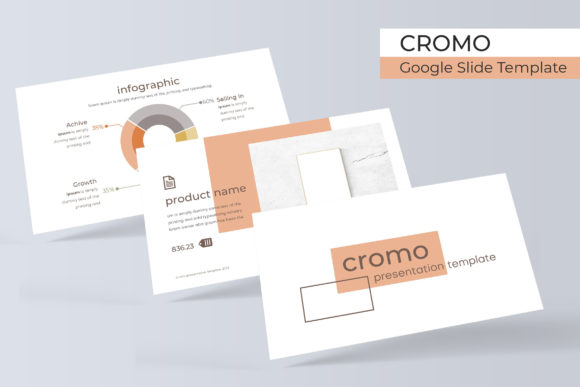
Cromo Google Slide Template: A Versatile Presentation Toolkit
Presentations are part of everyday life for many people, whether you are a student preparing a class project, a marketer pitching a campaign, or a small business owner sharing quarterly results. The challenge often lies in finding a template that balances visual appeal with practical flexibility. The Cromo Google Slide Template offers a structured yet adaptable solution, and understanding its features can help you decide if it fits your workflow.
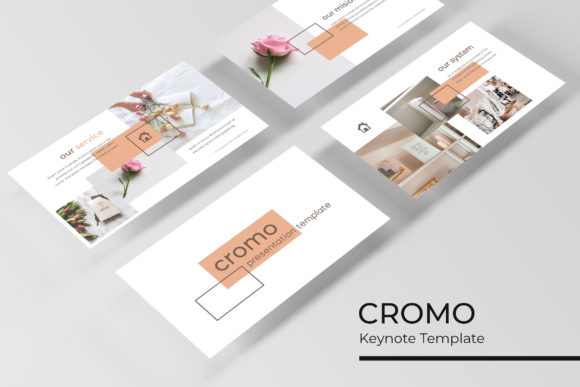
At its core, this template includes 150 slides organized across five color variations, with 30 slides per color set. It is built for Google Slides but also comes with PowerPoint files, which matters if you collaborate with teams who use different tools. The design emphasizes handcrafted infographics, section breaks, gallery layouts, and portfolio slides, all built around master slides for consistency. Graphics are resizable and editable, and picture placeholders work with drag-and-drop, saving time when you need to insert images quickly.
Why Different Audiences May Care About This Template
A template like Cromo can serve multiple purposes depending on your background and goals. Beginners often prioritize ease of use and clear structure. If you have little design experience, having prebuilt slides with coherent color schemes and logical section dividers can reduce the time spent on formatting. The fact that graphics are pixel-perfect and based on master slides means you can make edits without worrying about misalignment or inconsistent spacing.
For professionals such as marketers, consultants, or project managers, flexibility and polish matter more. You may need to present data clearly, show portfolios, or break down complex ideas into digestible sections. The handcrafted infographics in this template are designed to help with that. Instead of building charts and diagrams from scratch, you can adapt existing visuals to your own numbers. The section break slides also help structure longer presentations, making it easier for audiences to follow along.
Creators, freelancers, and designers might evaluate the template differently. For them, visual quality and customization options are key. The five premade colors provide a starting point, but because the graphics are editable, you can tweak colors, shapes, and layouts to match a brand or personal style. The inclusion of gallery and portfolio slides is particularly useful for showcasing work, whether you are a photographer, illustrator, or web designer. The drag-and-drop picture placeholders make it simple to swap images without distorting the layout.
Educators and trainers often look for reliability and clarity. When you are teaching a class or leading a workshop, you want slides that are easy to read, logically organized, and free of distracting elements. The Cromo template offers clean section breaks and consistent typography, which helps learners focus on content rather than design quirks. The downloadable font link included in the package ensures that your slides render as intended across devices.
Small business owners and entrepreneurs care about commercial value and speed. You might need to create pitch decks, product overviews, or internal reports without hiring a designer. Having 150 slides in five color variations means you can reuse the template for different purposes while maintaining a cohesive look. The included PPTX files also give you the option to work in Microsoft PowerPoint if your team prefers that environment.
Practical Features and How They Apply to Real Work
Let us look at some specific features and consider how different users might take advantage of them.
Handcrafted Infographics. Infographics can be time-consuming to build. This template includes prebuilt infographic layouts that are editable. A business consultant might use them to illustrate market trends or process flows. A blogger could adapt them to explain steps in a tutorial. An educator might use them to visualize historical timelines or scientific concepts. Because the infographics are vector-based and resizable, they work well on screens of different sizes without losing clarity.
Section Break Slides. Long presentations often lose momentum without clear transitions. Section break slides act as visual pauses, signaling a shift in topic. For a freelancer pitching multiple services, these breaks can separate different portfolio categories. For a trainer covering several modules, they help learners mentally reset. For a marketer presenting a campaign strategy, they create natural chapters that make the content easier to digest.
Gallery and Portfolio Slides. If you work in a creative field, showing your work is essential. The gallery and portfolio slides in this template provide grid-based layouts where you can drop in images with captions. A photographer might use them to showcase recent shoots. A graphic designer could display branding projects. An architect might present building renders. The drag-and-drop placeholders mean you can update the images quickly for each new client or project.
Resizable and Editable Graphics. Not every template lets you adjust graphics without breaking them. Cromo is built with scalability in mind. This is useful for teams that need to adapt slides for different formats, such as widescreen presentations, social media snippets, or printed handouts. A small business owner might resize a graphic for a flyer. A marketer might reuse an icon set across a website and a slide deck. An educator might enlarge a diagram for a poster.
Picture Placeholder with Drag and Drop. Inserting images is one of the most common tasks when building presentations. The drag-and-drop functionality reduces friction, especially if you are working under a deadline. For a beginner, this means less frustration. For a busy professional, it means faster turnaround. For a creator who updates portfolios frequently, it means less repetitive work.
Evaluating Whether Cromo Matches Your Goals
No single template works for every situation, so it helps to consider your own priorities before committing.
Ease of use and learning value. If you are new to presentation design, the included Readme file and free font download link provide guidance. The fact that the template follows master slides means you can learn how to build consistent presentations by example. Over time, you may develop skills that carry over to future projects, even if you switch to other templates. Beginners who want to improve design literacy may find this template a practical training tool.
Cost and long-term usefulness. For freelancers and small business owners, every expense counts. A template with 150 slides and five color variations can serve many projects over months or years. You can use one color set for client proposals, another for internal updates, and a third for conference talks. This reduces the need to purchase multiple templates for different contexts. For hobbyists or casual users, the same flexibility means you can create polished presentations for personal events, clubs, or community groups without investing in design software.
Quality and reliability. Professionals and educators often need slides that look consistent across devices and platforms. Pixel-perfect illustrations and master slide-based layouts help ensure that. If you share slides with colleagues or students, you can trust that the formatting will hold up. The inclusion of both PPTX files and Google Slides compatibility also gives you flexibility if your audience uses different tools.
Creativity and flexibility. Designers and creators may want to push the template beyond its original intent. Because the graphics are editable, you can change colors, replace icons, and rearrange layouts. You could combine elements from different color variations to create a custom palette. The five premade colors serve as a foundation, but you are not locked into them. This makes the template suitable for branding projects where you need to match specific colors.
Speed and presentation readiness. For marketers, entrepreneurs, and anyone working under tight deadlines, being able to drop content into prebuilt slides saves hours. The section break slides and gallery layouts reduce the need to design from scratch. If you need to prepare a pitch deck overnight or assemble a training module in an afternoon, the structure is already there. You simply replace placeholder text and images with your own.
Practical Examples Across User Types
A marketing manager preparing a campaign review might use the infographic slides to show performance metrics, the section breaks to separate channels, and the portfolio slides to highlight creative assets. The five color variations let them choose a palette that aligns with the brand identity of the campaign.
A freelance graphic designer building a client proposal could rely on the gallery slides to display past work, the editable graphics to customize icons for the project, and the master slides to maintain consistent headers and footers. The drag-and-drop image placeholders make it easy to swap samples for each new pitch.
An educator designing a course module might use the section break slides to divide lessons, the infographics to explain concepts visually, and the clean layouts to ensure readability. The included font link helps maintain a professional look across student devices.
A small business owner creating a pitch deck for investors could select a single color variation for consistency, use the portfolio slides to showcase the product, and rely on the resizable graphics to adapt slides for both presentation and print. The 30 slides per color set provide enough variety without overwhelming them with choices.
Final Considerations Before Choosing
While the Cromo Google Slide Template offers many practical features, it is worth noting that the preview images used in the product listing are for illustration only. The photographs and pictures shown are not included. This is standard for most template products, but it means you will need to supply your own images. For someone who has a library of photos or access to stock image sites, this is rarely an issue. For a complete beginner, it is something to plan ahead for.
The template includes five PPTX files in widescreen format, five premade color sets, and a Readme file with font details. The font used is free and a download link is provided. This transparency is helpful if you want to ensure your presentation looks the same on someone else's computer. If you prefer working in Google Slides, the template can be uploaded and edited there, though some features may behave slightly differently than in PowerPoint.
Ultimately, the value of this template depends on how well it aligns with your workflow. If you need a structured, visually consistent starting point that saves time and allows for customization, the combination of 150 slides, handcrafted infographics, and editable graphics makes it a strong candidate. If you prioritize flexibility across different platforms and color schemes, the five variations give you room to adapt without starting from zero. For beginners, professionals, creators, and business owners alike, the key is to match the template's strengths to your specific project requirements.